Join us for the 2026 NASA Space Apps Challenge at the Wine Spectator Learning Center on the Sonoma State University campus in Rohnert Park, California. Find directions, parking information, and transportation options below to help you plan your visit.
Wine Spectator Learning Center, Sonoma State UniversityParking Lot G, Sonoma State University - event parking
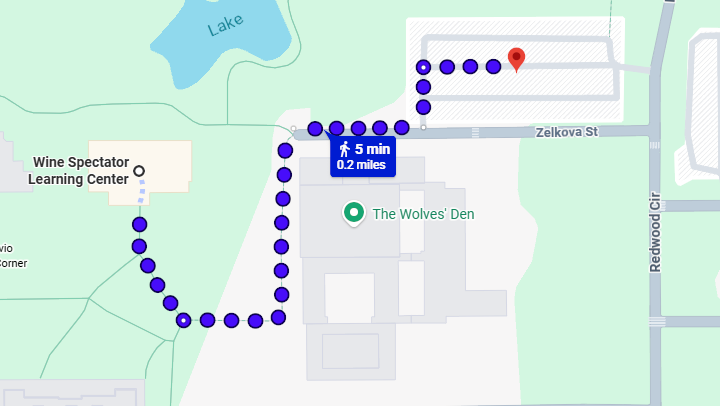
Walking directions from Parking Lot G to the Wine Spectator Learning Center
Wine Spectator Learning Center
Sonoma State University
1801 East Cotati Avenue
Rohnert Park, CA 94928
The 2026 NASA Space Apps Challenge will take place
at the Wine Spectator Learning Center on the
Sonoma State University campus. Located near the
northern side of campus, the venue provides a
welcoming space for participants to collaborate,
innovate, and bring their ideas to life.
By Car
Sonoma State University is conveniently
located near Highway 101 in Rohnert Park.
From Highway 101, take the Rohnert Park
Expressway exit and head east. Turn right
onto Petaluma Hill Road, then right onto
East Cotati Avenue to reach the main
campus entrance. Follow campus signs
toward the Wine Spectator Learning Center.
Parking
Visitor parking is available on campus,
and event attendees are expected to park
in Parking Lot G, located near the Wine
Spectator Learning Center (see map above).
Get your event parking pass at the Lot G kiosk
using the code emailed to you.
Public Transit
Sonoma State University is accessible
through Sonoma County Transit bus services,
with routes connecting Rohnert Park,
Cotati, Petaluma, Santa Rosa, and nearby
communities. Visitors traveling by SMART
train can transfer to connecting bus
services at the Cotati SMART station.
Check local transit schedules in advance
to plan your arrival and departure.
Getting Your Parking Pass
Parking pass codes are being emailed. To receive a code,
fill out the survey form and/or come to registration.
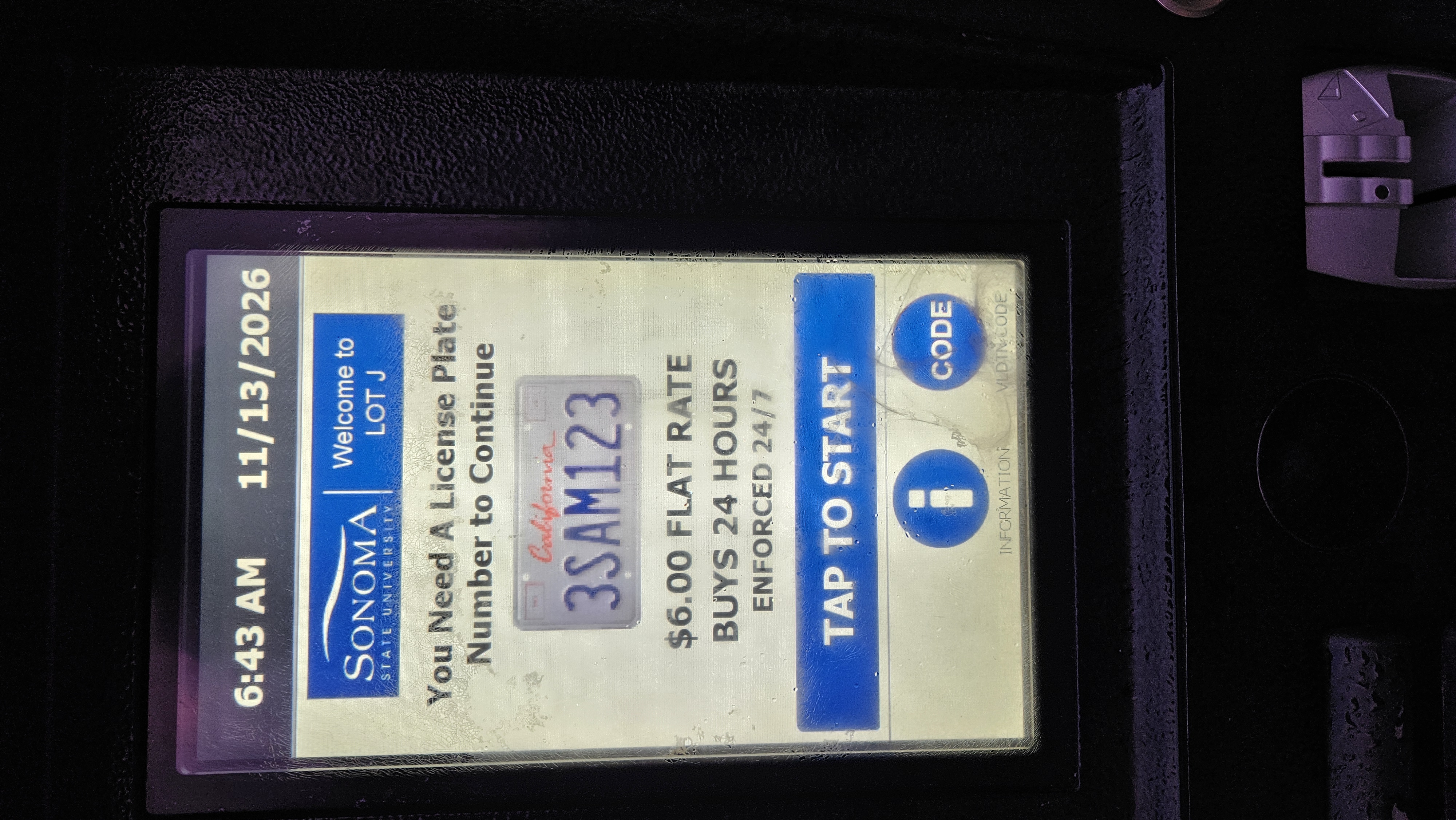
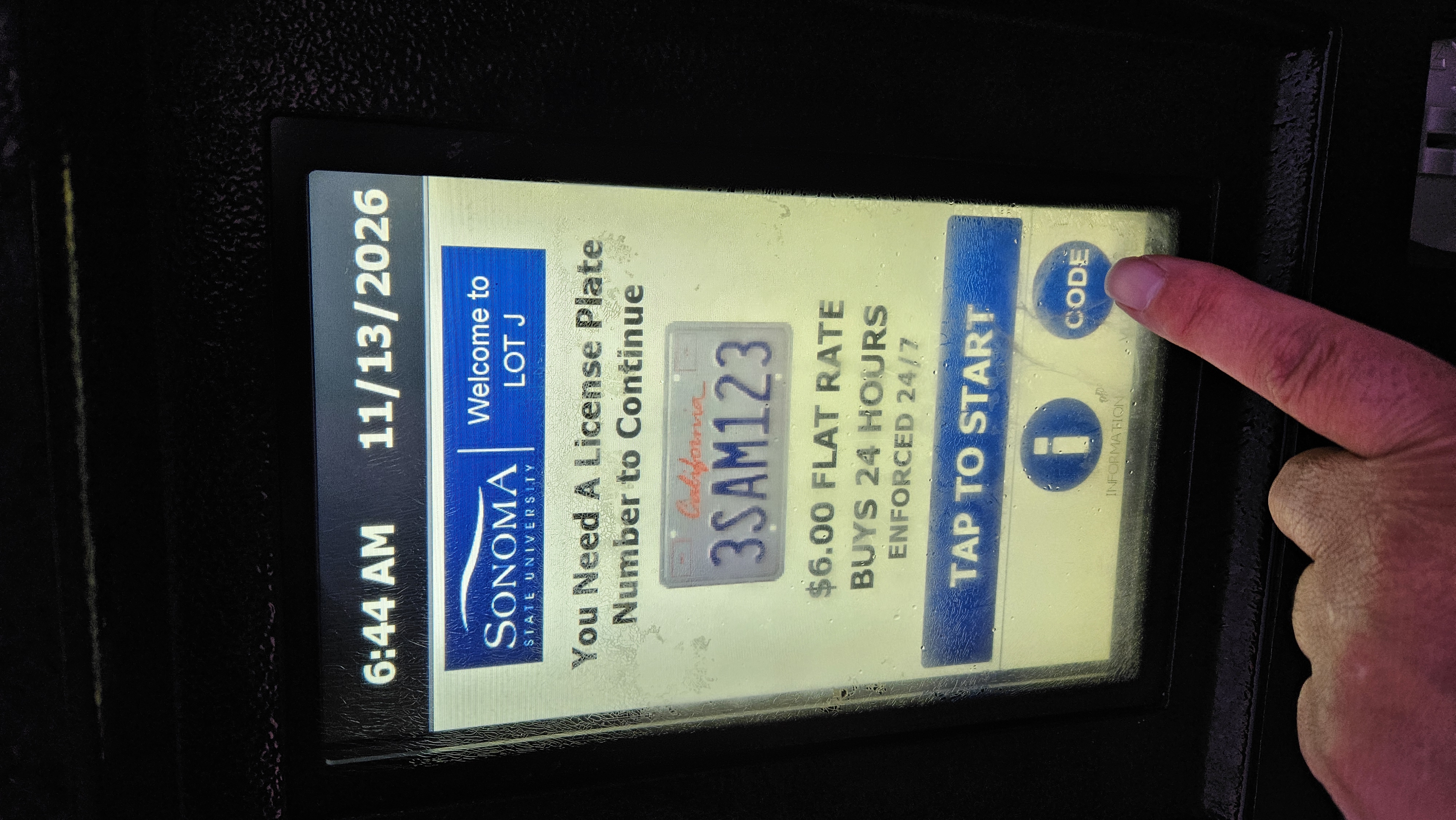
At the kiosk, select Code on the start screen.
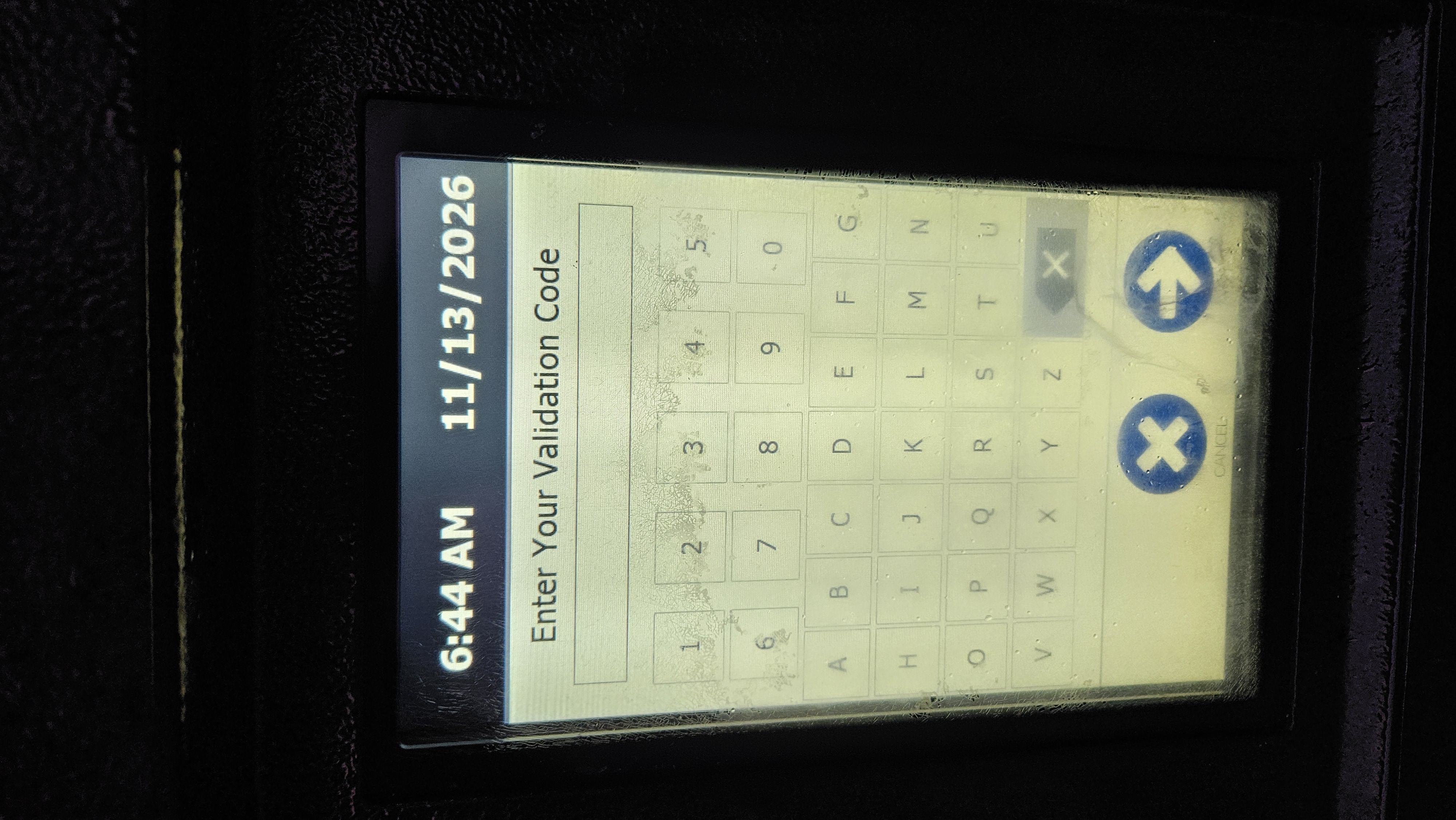
Enter the code you received in your email using the validation keypad.
Enter your license plate number and complete the kiosk steps.
Take the printed receipt back to your car and place it in the window.
Kiosk start screenSelect the Code buttonEnter your emailed validation code